Staying Safe
Protect yourself from scams and trade with confidence
Key Safety Tips
Verify before you trade
Always double-check the Pokémon details in-game before confirming any trade.
Use in-platform messaging
Keep all trade discussions on PokeTrade. This provides a record if something goes wrong.
Check trader profiles
Look at how long they've been a member and their trading history.
Meet in safe, public places
Parks, shopping centers, or popular PokéStops are great options for meetups.
Red Flags to Watch For
- Asking for real money or gift cards
- Pressure to trade immediately or "limited time" offers
- Asking you to move to another platform for communication
- Offers that seem too good to be true
- Asking for your login credentials or personal information
- Brand new accounts with no history
Verifying Dynamax & Gigantamax Pokémon
When trading for Dynamax or Gigantamax Pokémon, always verify in-game before confirming the trade to avoid being scammed.
Checking for Dynamax Moves
Before the trade happens, click on the Pokémon to confirm that it has a Dynamax moveset assigned to it. Look for moves with the red "Max" border:
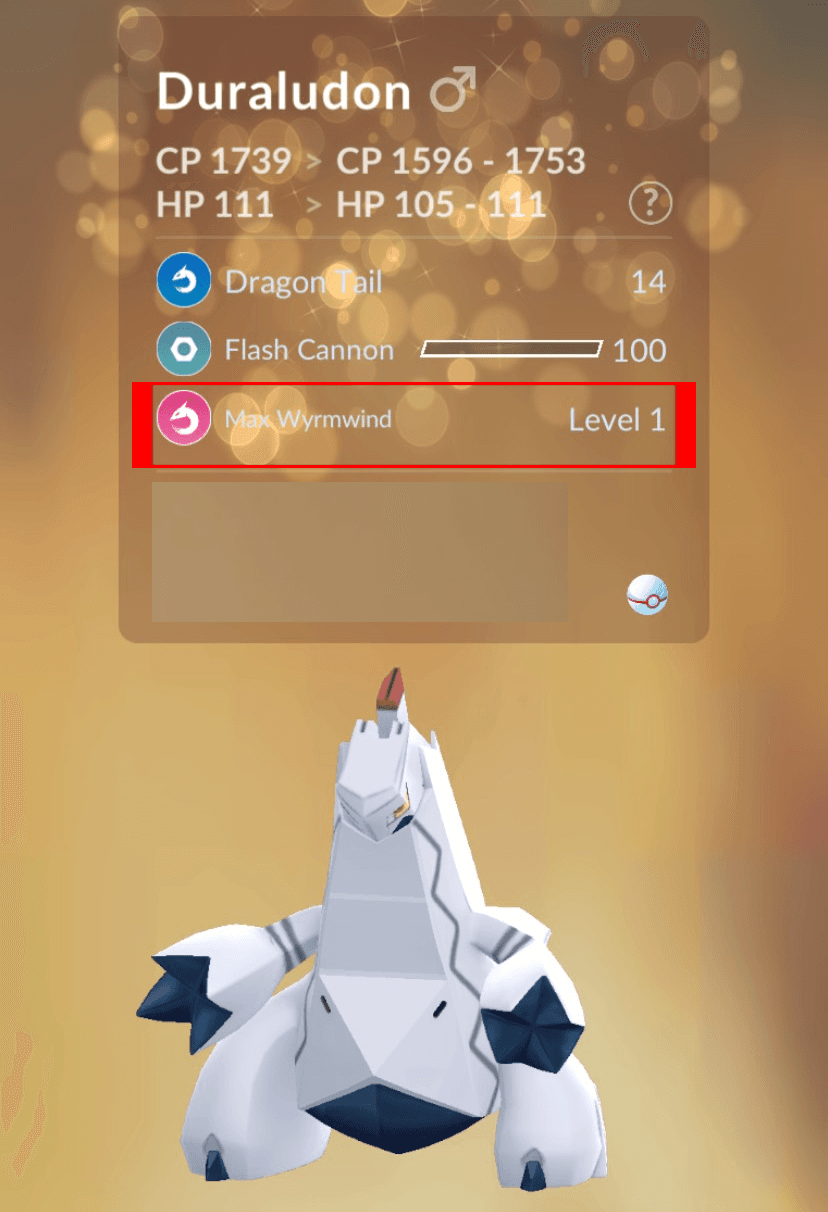
The red border indicates a Dynamax move is equipped.
Checking for Gigantamax Moves
All Gigantamax Pokémon will have "G-MAX" before their move name (e.g., "G-MAX Vine Lash"). Verify this before trading:
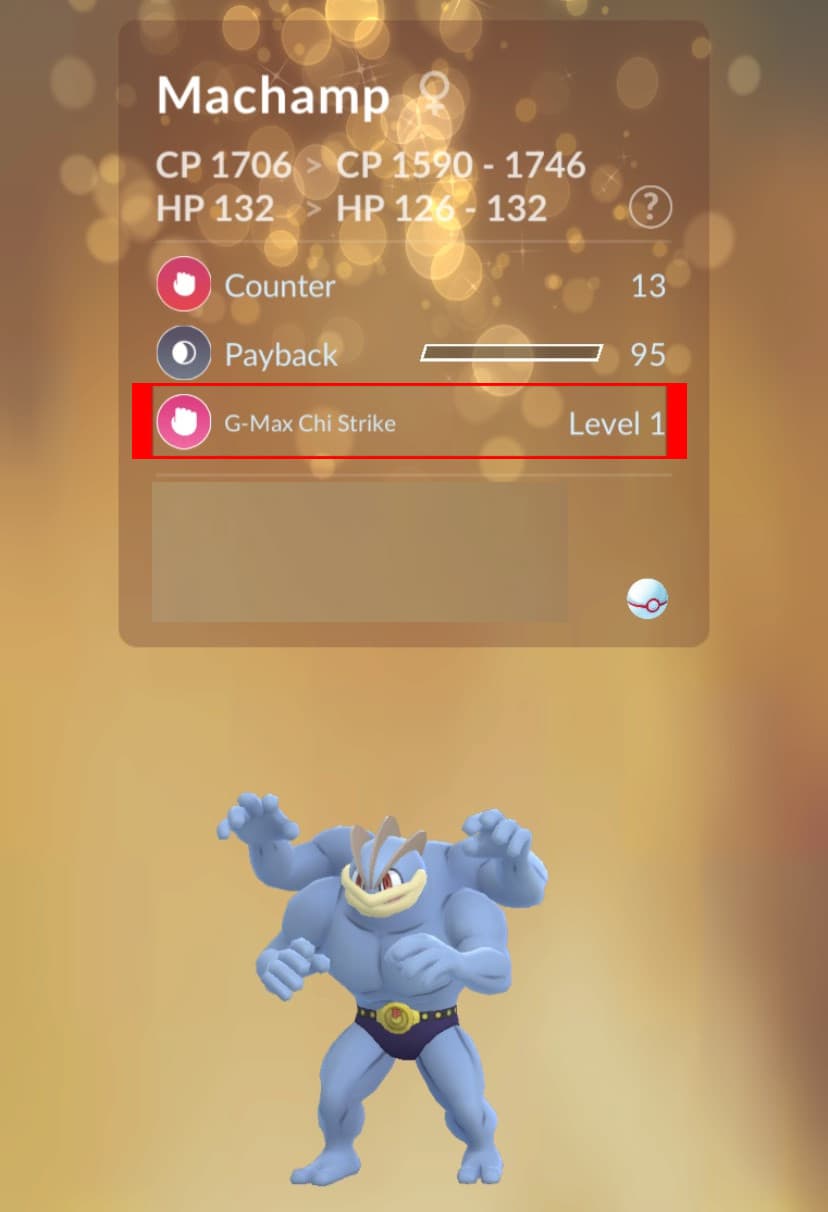
The "G-MAX" prefix confirms this is a Gigantamax Pokémon.
⚠️ Important: Never confirm a trade without verifying the Pokémon has the correct moveset. Scammers may try to trade regular Pokémon instead of Dynamax/Gigantamax versions.
Is it safe to link my Google or Discord?
Yes! Our platform uses OAuth for secure authentication. Here's what that means:
- We never see or store your password
- We receive a temporary access token that expires
- You can revoke access anytime from Google/Discord settings
What data do you access?
From Google:
- • Email address
- • Display name
- • Profile picture
From Discord:
- • Username
- • Avatar
- • Banner (if set)
We never ask for or receive passwords, payment information, or access to your accounts.
How do I report a user?
If you encounter suspicious behavior, scams, or harassment:
- 1Click on the user's name or profile picture
- 2Open their profile card
- 3Click "Report" and select a reason
- 4Add details and evidence (screenshots help!)
Our moderation team reviews all reports. Please don't abuse the report system—only report real issues that require action.